Services Gallery Solutions Contact Login

Division 02 — SF Solutions

Keep the Tools You Have.
We Connect Them.

QuickBooks or Xero. A CRM. Spreadsheets. Email and text. Most operators run on all of them, and none of them talk to each other.

We connect your systems, flag what needs attention, and set up the automation and applications you need. If you want one place to run the work, SF Ops can be your workspace.

Sound Familiar?

▸

The same numbers typed into two or three systems

▸

The real answer lives in someone's spreadsheet

▸

Orders and requests arrive by email and text

▸

Problems show up after they've already cost money

What We Do

▸

Connect your tools. Your accounting, your CRM and your records, pulled into one view. We've built connectors for QuickBooks and Pipedrive.

▸

Flag the exceptions. See what needs attention now, instead of digging through reports to find it.

▸

Automate the manual steps. Less retyping, fewer copy-paste errors, less time on admin.

▸

Build what's missing. Dashboards and applications set up around how you already work.

How It Starts

1

Discover
We map your tools, your numbers and where they break.

2

Implement
We connect your systems and set up what you need.

3

Stabilize
We check the numbers with you and fix what's off until you trust them.

4

Operate
You run it, or we run it for you.

SF Ops: Your Workspace (Optional)

We built SF Ops and run every Streich Force job on it. If you need one place to run the work, we set it up around how you operate.

▸

Every job as a Work order, from request to paid invoice

▸

Quotes your customer approves from their phone

▸

On-site photos and a Work summary on every job

▸

Invoices your customer can pay online

SF Ops starts with a discovery call, like everything else we do.

Proven With Container Operators

Container dealers, lessors and depots were first. Here is what we built for them, on top of the systems they already had.

▸

Cash-exposure cockpit. How much cash is tied up in inventory, and what's still coming due, in one view.

▸

Dashboards. Margin by size and type, aging, and the metrics you choose, switched on or off per person.

▸

Query builder. Pick columns, stack filters, save views and export, over your own data.
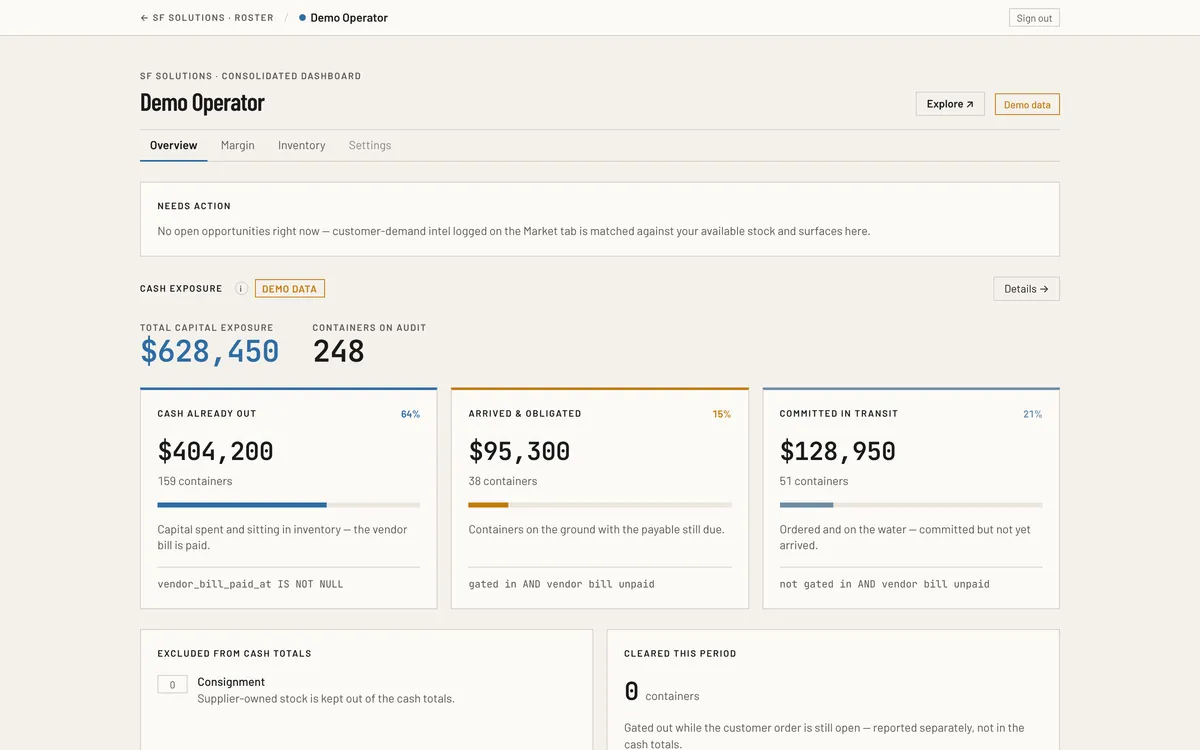
  1. SF Solutions dashboard for a demo operator, made-up figures: what needs action, then cash exposure split into three lanes: cash already out, arrived and obligated, and committed in transit
    Where the cash is: paid, obligated, in transit
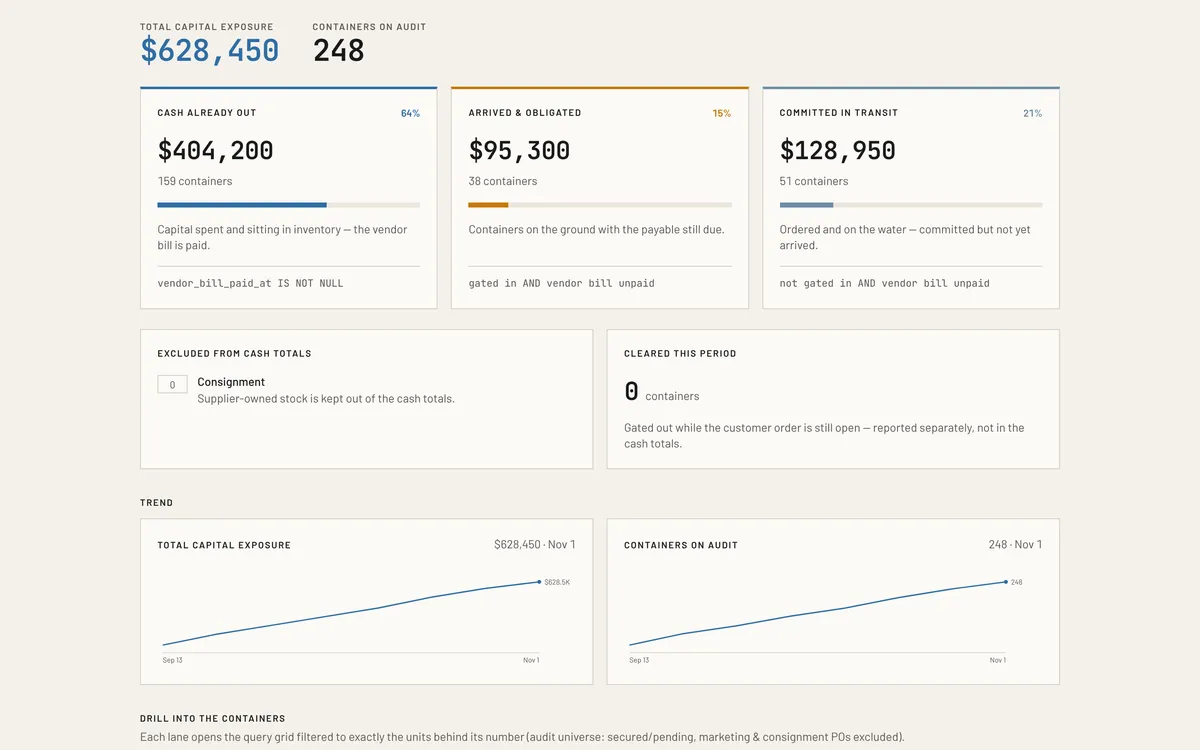
  2. Cash exposure detail on demo data: the three lanes with their totals, what is excluded, and trend lines for total exposure and containers over eight weeks
    Capital tied up in inventory, and how it has moved week to week
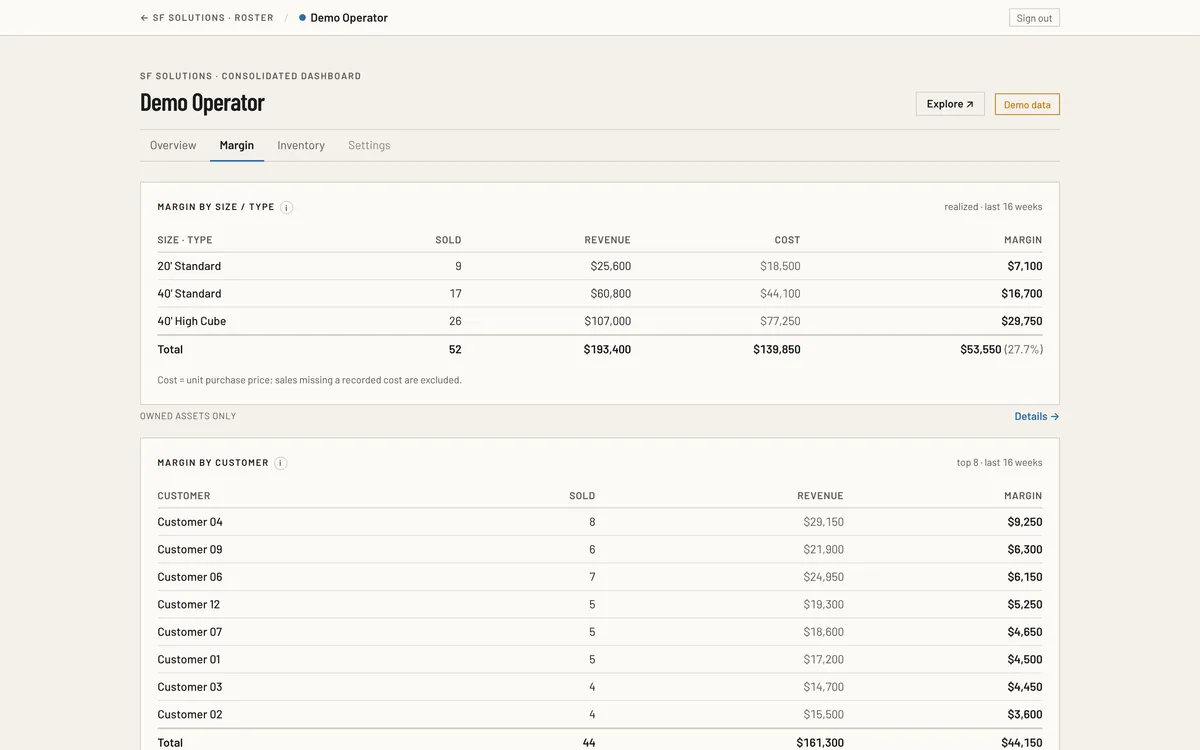
  3. Margin tab on demo data: realized margin by container size and type with totals, and a table of margin by customer with generic customer labels
    Margin by size and type, and by customer, on the numbers you already have
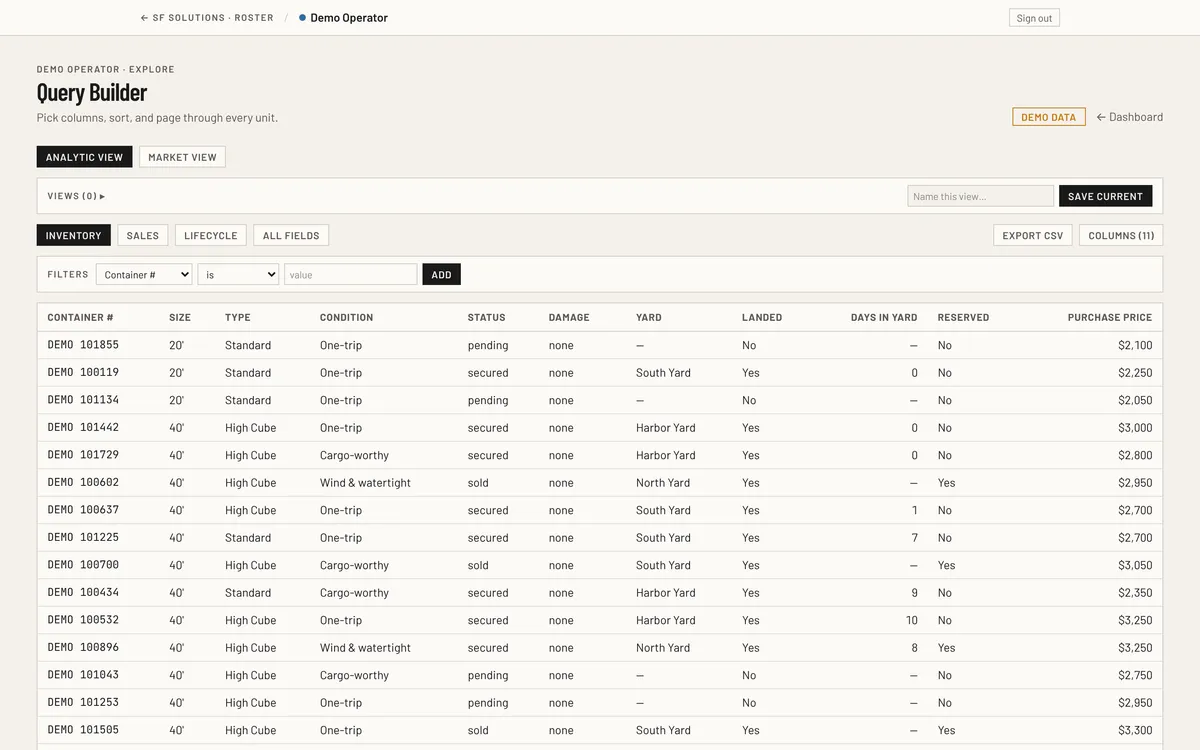
  4. Query builder on demo data: column presets, a filter row and a table of made-up containers with size, type, condition, status, yard and purchase price
    Pick columns, stack filters, save the view, export

Not in containers? The approach is the same: we set up the automation and applications you need, around the tools you already use.

Book a Discovery Call

Tell us what you run on and where it breaks. We'll give you a straight answer on whether we can help.

Book a Discovery Call

solutions@streichforce.com